
Orasi
Remember.
Build vocabulary from the world around you. Photograph any text, extract words automatically, get AI-powered definitions and translations, and master them with spaced repetition flashcards.
Coming Soon on App Store
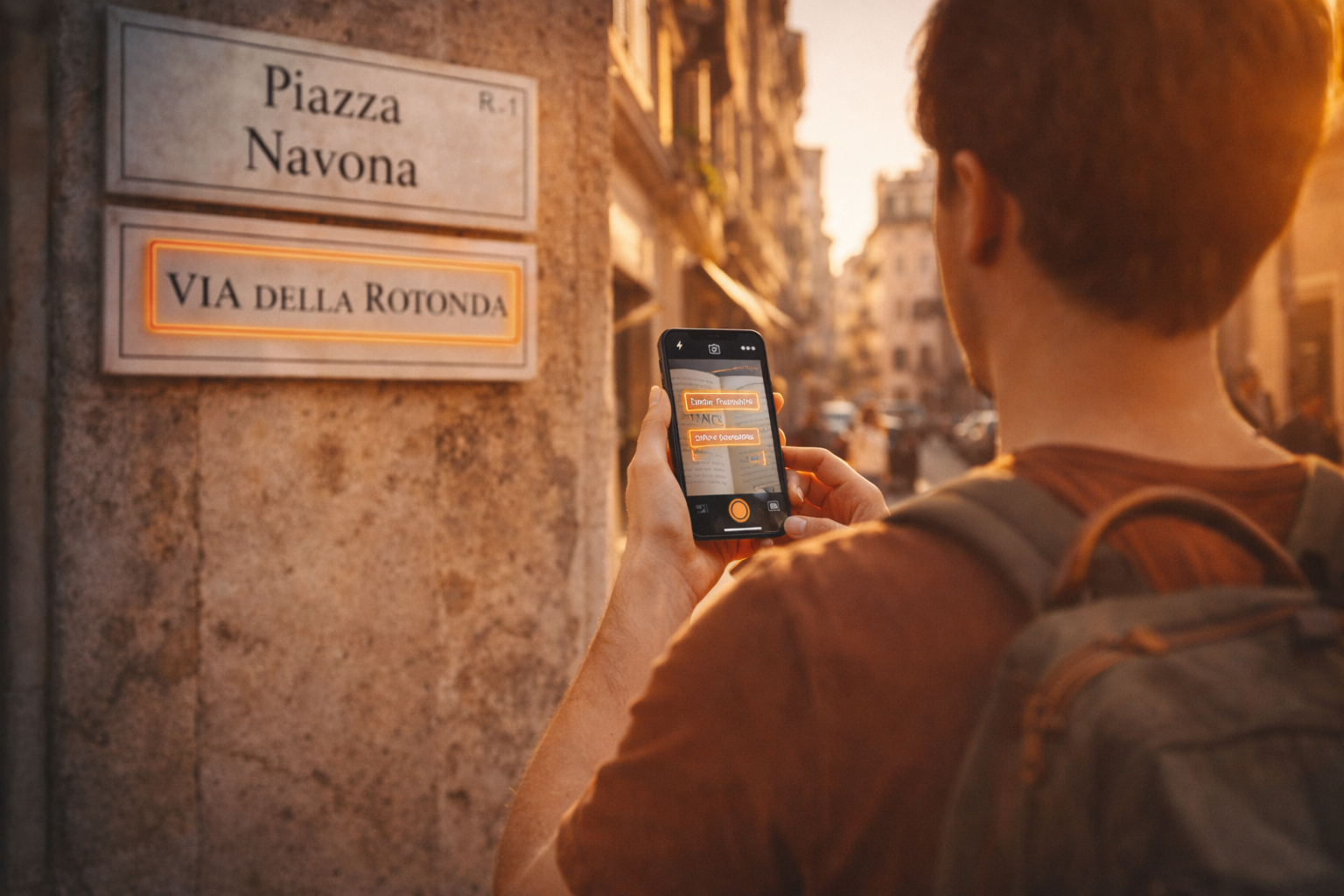
Capture Text From Anywhere
Point your camera at any text — books, signs, menus, documents, subtitles — and Orasi instantly extracts every word. Supports 180+ languages out of the box.
Select the words you want to learn, and get instant AI-powered definitions and translations. One tap creates a flashcard ready for review. With 180+ languages supported, common languages appear first in the picker, with search and filter to find any language instantly.
How It Works
Photograph
Snap a photo of any text — a book page, a street sign, a restaurant menu. Every word is extracted automatically.
Translate
Select words you want to learn and get AI-powered definitions and translations. Each word becomes a flashcard in your deck, ready for review.
Review
Master your vocabulary with spaced repetition. Rate cards as Easy, Good, Hard, or Again to fine-tune your learning schedule.
Organize & Track Your Progress
Create decks for different topics, books, or courses. Use folders and subfolders to organize your vocabulary however works best for you — by language, subject, or travel destination. Move decks between folders with a long-press.
Each deck includes comprehensive statistics: progress metrics, an activity dashboard, a 7-day review chart, success rate, ease factor, and response distribution. Global analytics track your total reviews, learning streak, and highlight struggling cards that need extra attention.

Powerful Features
Orasi is packed with tools to make vocabulary learning effective and enjoyable.
180+ Languages
From Spanish to Japanese and everything in between. Common languages appear first, with search and filter to find any language instantly.
Comprehensive Statistics
Progress metrics, activity dashboard, success rates, and 7-day review charts to visualize your learning journey.
Dark & Light Modes
Beautiful themes for day and night study sessions. Toggle between modes in settings for comfortable learning anytime.
Smart Notifications
Get reminders when cards are due for review. Never miss your daily practice and keep your learning streak alive.
Folders & Decks
Organize decks into folders and subfolders. Move decks between folders with a long-press for quick reorganization.
Global Analytics
Track total reviews, maintain learning streaks, and identify struggling cards that need extra attention.

Sync Across Devices
Sign in with Apple Sign-In to enable Cloud Sync. Your vocabulary, decks, and progress sync bidirectionally across all your devices — with full offline support built in.
Sync happens automatically in the background, plus a manual "Sync Now" button when you need it. Cloud sync is completely optional — Orasi works fully without signing in. Your data, your choice.
Privacy & Security
Your data is yours. All vocabulary and learning progress are stored locally on your device by default. Cloud sync is optional and only activates after you sign in.
Local Storage
All data stored locally on your device. Works fully offline except when looking up new words. Optional encrypted cloud backup available when signed in.
Your Data, Your Choice
No tracking or analytics. If you enable optional cloud sync, your data is encrypted in transit and at rest. Without sign-in, nothing leaves your device.
Works Offline
Review flashcards, browse decks, and track stats without an internet connection. Only looking up new words requires connectivity.
Perfect For
Whether you're studying abroad, reading novels, or watching films — Orasi fits your learning style.
Terms of Use
By using Orasi, you agree to these terms. We keep things simple and transparent.
1. Data Privacy
Orasi stores all data locally on your device by default. No personal data is collected or transmitted except the words you choose to look up. Photos taken for text recognition are processed on-device and never uploaded. If you enable optional cloud sync, your data is encrypted and stored securely. Apple Sign-In is used solely for authentication — we only receive your user identifier, not your personal details.
2. Third-Party Services
Orasi uses AI-powered services for definitions and translations. When you look up a word, only the selected word is sent for processing. No other data is shared with third parties.
3. Intellectual Property
All content and functionality in Orasi are owned by Unusual Rocks or licensed. Your vocabulary data and flashcards remain your property at all times.
4. Educational Use
Orasi is designed for vocabulary building and learning. Definitions and translations are AI-generated and may not always be perfect.
5. Limited Liability
Unusual Rocks is not liable for damages from using Orasi, including loss of locally stored data or inaccuracies in definitions or translations.
6. Updates to Terms
We may update these terms with new app versions. Continued use of Orasi means you accept the updated terms.
Start Building Your Vocabulary
Turn the text around you into knowledge. Photograph, look up definitions, and master new words with spaced repetition flashcards.
Coming Soon on App Store